Documentation of the main branch
These pages follow Mallard's main branch, which is ahead of release 0.8.0: some features they describe come with the next release.
Meshes
Mallard is a cell-centered finite volume solver for unstructured meshes:
triangles and quadrilaterals in 2D; tetrahedra, hexahedra, prisms and
pyramids in 3D, in any mix. The mesh comes from [mesh]: generated boxes for
simple domains, Gmsh files for anything else, and Mallard's HDF5 mesh format
for large distributed runs. Each boundary face belongs to a named zone,
which [[boundaries]] assigns a condition to.
The spatial dimension is a build option (-DMallard_DIM=2, the default, or
3): one executable per dimension, the same input keys for both.
Generated meshes
[mesh]
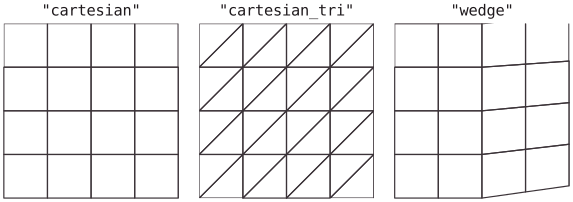
type = "cartesian"    # quadrilaterals
Nx = 200              # cells along x
Ny = 100              # cells along y
Lx = 2.0              # the domain is [0, Lx] x [0, Ly]
Ly = 1.0
type |
Cells |
|---|---|
cartesian |
Quadrilaterals (2D) or hexahedra (3D) |
cartesian_tri |
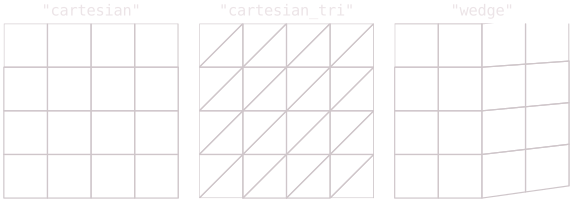
Each quadrilateral split into two triangles along its bottom-left to top-right diagonal |
wedge |
Quadrilaterals over an 8 degree compression ramp starting at x = 0.5 (the wedge example) |
cartesian_tet, cartesian_prism, cartesian_pyramid, cartesian_mixed |
3D only, see below |
The zones of a generated mesh are left (x = 0), right (x = Lx), bottom
(y = 0), top (y = Ly) and, in 3D, back (z = 0) and front (z = Lz).
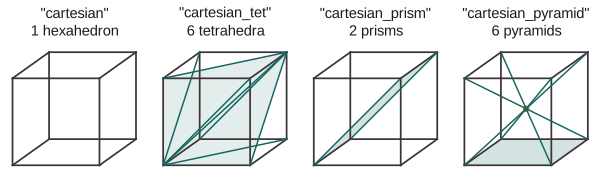
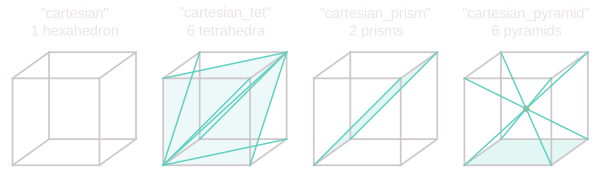
In 3D, the box [0, Lx] x [0, Ly] x [0, Lz] is cut into Nx x Ny x Nz
blocks, each filled with cells of the chosen type (cartesian_mixed:
hexahedra, pyramids and prisms in successive thirds of x):
| Key | Default | Meaning |
|---|---|---|
type |
"file" |
Mesh type, above |
Nx, Ny, Nz |
100 | Cells (2D) or blocks (3D) along each axis |
Lx, Ly, Lz |
1.0 | Domain size |
stretching |
zeros | One factor per axis clustering nodes toward both ends |
periodic |
none | Directions joined periodically, e.g. ["x", "z"] |
Stretching
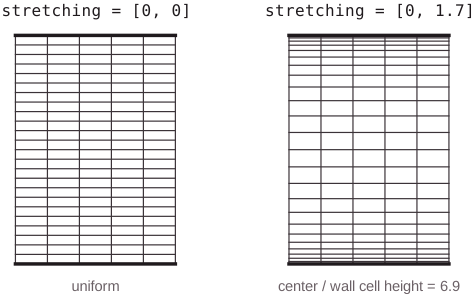
stretching = [beta_x, beta_y] (three factors in 3D) clusters nodes toward
both ends of each axis with a nonzero factor: node j of N sits at
L/2 (1 + tanh(beta (2j/N - 1)) / tanh(beta)). Wall-bounded flows use it to
resolve both walls of a channel:
[mesh]
type = "cartesian"
Nx = 192
Ny = 96
Nz = 128
Lx = 12.566370614359172
Ly = 2.0
Lz = 4.1887902047863905
stretching = [0.0, 1.7, 0.0]   # cells at the walls ~8x thinner than at the center
periodic = ["x", "z"]
Periodic boundaries
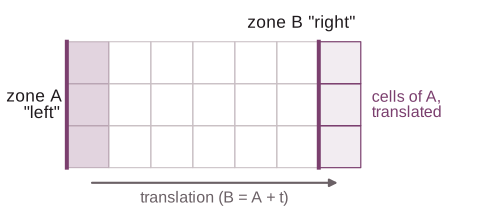
Periodic boundaries join two zones into interior faces: every scheme sees the
seam as the inside of the domain, and the zones disappear from
[[boundaries]] (a fully periodic box needs no [[boundaries]] at all).
- Generated meshes:
periodic = ["x", "y"]in[mesh]joinsleft/right,bottom/topand (3D,"z")back/front. Not forwedge. - Mesh files: pair zones with
[[periodic]]; zone B must be zone A translated node for node (to 1e-6 of the zones' shortest edge), as Gmsh'sPeriodicconstraint makes it. A node without a partner is reported with its coordinates.
[mesh]
type = "file"
filename = "box.msh"

[[periodic]]
zones = ["left", "right"]
translation = [1.0, 0.0]     # B = A + translation
Each periodic direction needs at least 3 cells, and each zone joins at most one pair. Periodic meshes work in distributed runs, and with every reconstruction (design order across seams).
Mesh files (Gmsh)
Mallard reads ASCII Gmsh meshes, format 2.2 or 4.1, of linear triangles and quadrilaterals (2D) or tetrahedra, pyramids, prisms and hexahedra (3D).
- Each physical curve (2D) or physical surface (3D) becomes a zone
named after it (
physical_<tag>if it has no name). Boundary faces in no physical group form the zoneunassigned. - Elements of other dimensions (points, and curves in 3D) are ignored.
- Second- and third-order elements are read by their corners; high-order boundary elements also curve their faces.
Several examples build their meshes with scripts in tools/ (numpy only,
except where noted):
| Script | Mesh |
|---|---|
make_cylinder_mesh.py |
O-grid of quadrilaterals around a cylinder; --half for the axisymmetric sphere; --order 2 or 3 for curved high-order boundary elements |
make_annulus_mesh.py |
Quadrilaterals between two circles |
make_mallard_mesh.py |
Triangles around a flying mallard (needs the gmsh Python module) |
make_sphere_mesh.py, make_sphere_re300_mesh.py |
Tetrahedra, and prism layers plus tetrahedra, around a sphere (need gmsh) |
make_volvo_mesh.py |
Hexahedra of the Volvo bluff-body combustor |
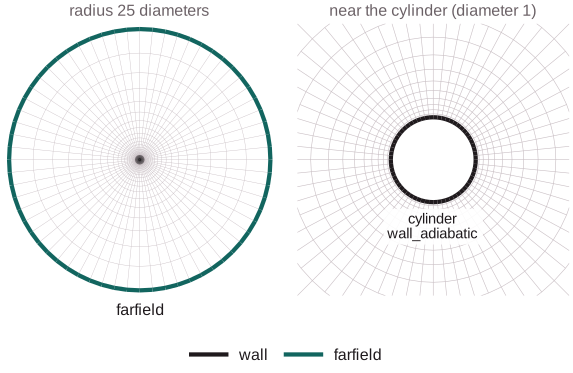
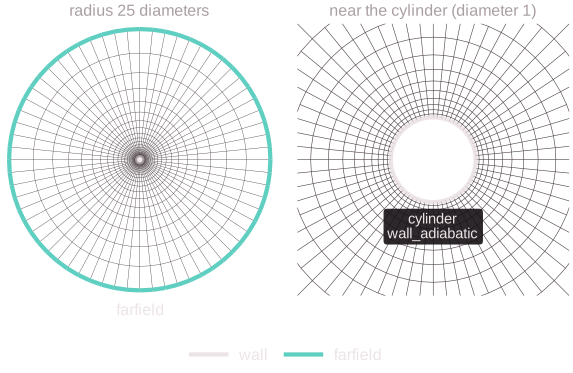
The cylinder example: an O-grid from make_cylinder_mesh.py (drawn here
four times coarser than the example's 384 x 128 cells), with the zones
cylinder and farfield.
Other mesh formats
| Format | filename |
Zones | Build |
|---|---|---|---|
| CGNS (unstructured, HDF5-based) | *.cgns |
BC_t by family name (Gmsh's physical names), else by BC name; boundary sections in no BC by section name |
-DMallard_ENABLE_CGNS=ON |
| ANSYS Fluent mesh or case, ASCII or binary | *.msh starting with (, *.cas |
Non-interior face zones, by name | always |
| OpenFOAM polyMesh, ASCII or binary | the case directory (or its constant/polyMesh) |
Patches (2D: all but empty) |
always |
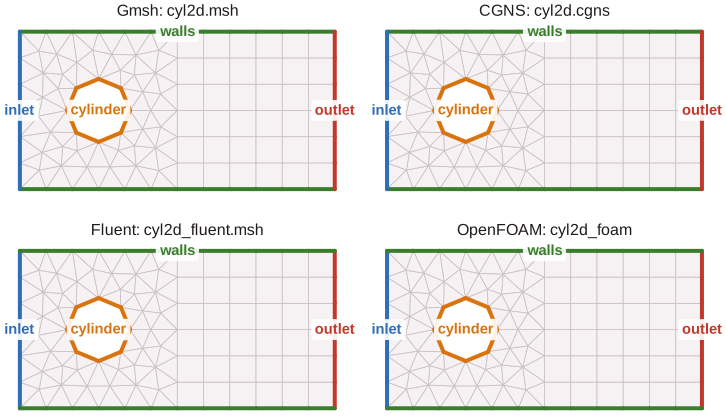
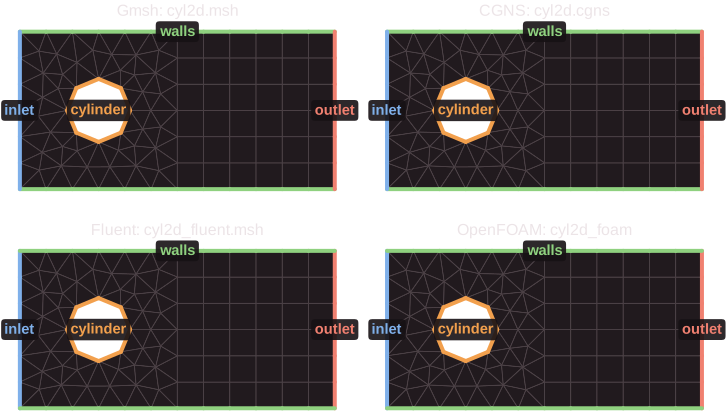
Every format gives the same mesh as the Gmsh file it was exported from (the
tests check cells, faces and zones), so a case can switch formats without
renaming its [[boundaries]].
Pitfalls:
- CGNS: one base, unstructured zones only; several zones are joined only
through
Abutting1to1vertex connectivity (as Gmsh writes partitioned meshes); polyhedralNGON_n/NFACE_nsections are rejected. Higher-order elements are read by their corners, and high-order boundary elements curve faces as in Gmsh files. - Fluent: cells must be triangles and quadrilaterals (2D) or tetrahedra,
pyramids, prisms and hexahedra (3D); polyhedral meshes and adapted meshes
(cell and face trees) are rejected. Periodic face zones stay boundary
zones: pair them with
[[periodic]]. - OpenFOAM: the 2D build reads a mesh one cell thick in z between
emptypatches (OpenFOAM's 2D convention); compressed (.gz) and decomposed (processor*) meshes must be decompressed or reconstructed first. Cells must be of Mallard's types, as for Fluent. - A mesh of the other dimension is an error: build with the matching
-DMallard_DIM.
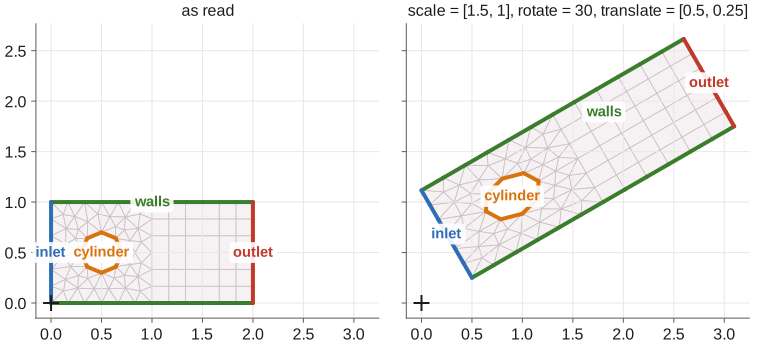
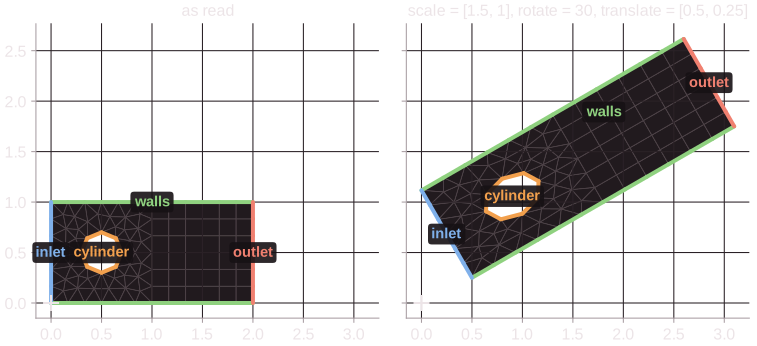
Transform on read
[mesh.transform]
scale = 0.001                            # mm to m; or one factor per axis
rotate = 90                              # 2D: degrees counterclockwise
# rotate = {axis = [0, 0, 1], angle = 90}  3D: right-handed about the axis
translate = [0.1, 0.0]
[mesh.transform] maps every node of a mesh file, x -> R (S x) + t: scale,
then rotate about the origin, then translate.
Pitfalls:
- Everything else in the input (
[[periodic]]translations,[[mesh.curved]]shapes, probes, initial conditions) is in the transformed coordinates. - Mesh files only: generated meshes reject it.
mallard-mesh-convert input.toml mesh.h5writes the transformed mesh; do not transform it again when running frommesh.h5.
HDF5 meshes for large runs
Every rank of a distributed run reads a Gmsh or other mesh file whole,
keeping only its share. Large meshes should be converted once to Mallard's HDF5 mesh format, of
which each rank reads only its own part (builds with
-DMallard_ENABLE_HDF5=ON):
mallard-mesh-convert mesh.msh mesh.h5                # from any mesh file
mpirun -n 8 mallard-mesh-convert input.toml mesh.h5  # the mesh of an input, written in parallel
and then filename = "mesh.h5". Generated meshes are always produced per
rank, so no rank ever holds a whole generated or HDF5 mesh. The file layout is
in the input reference.
Curved boundaries
Boundary faces can follow the true geometry instead of straight edges or flat facets. Curved faces get quadrature points on the curve with their own normals, and the cells next to them their exact volumes and centroids, so TENO-E keeps orders 3 to 6 at curved walls (convergence).
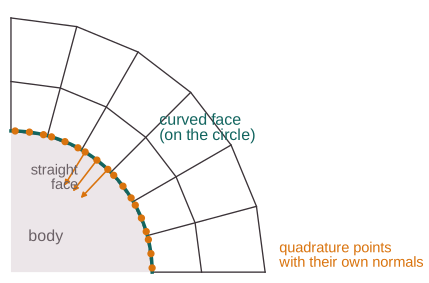
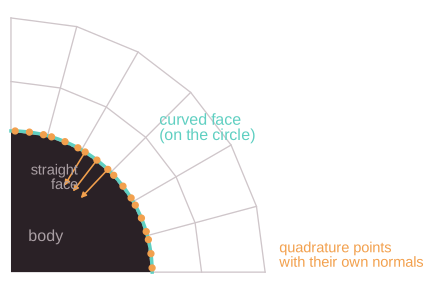
The geometry comes from either
- high-order boundary elements of a Gmsh file (
line3,line4in 2D;triangle6,triangle9,triangle10,quadrangle8,quadrangle9,quadrangle16in 3D), e.g.make_cylinder_mesh.py --order 3; or - an analytic shape that a zone is projected onto, on any mesh:
[[mesh.curved]]
zone = "cylinder"
shape = "circle"        # 2D; "sphere" or "cylinder" in 3D
center = [0.0, 0.0]
radius = 0.5
# axis = [0.0, 0.0, 1.0]  for shape = "cylinder"
| Key | Default | Meaning |
|---|---|---|
[mesh] curved_geometry |
true |
false ignores high-order nodes and [[mesh.curved]] |
zone |
required | Boundary zone to curve |
shape |
required | circle (2D), sphere or cylinder (3D) |
center, radius |
required | The shape (for a cylinder, a point of its axis) |
axis |
required for cylinder |
Direction of the cylinder's axis |
Pitfalls:
- Zone nodes farther than 5% of an edge length from the shape are an error: the mesh must already approximate it.
- Not with
[physics] axisymmetric = trueyet. - At curved walls TENO-E uses one-sided stencils of limited degree
(
curved_wall_degree, default 3), so orders 5 and 6 are fourth order there; see Numerics.
See also
- Input reference:
[mesh],[[periodic]] - Boundary conditions: what to put on each zone
- Running in parallel: partitions and halos
- Design notes: periodic boundaries, curved boundaries